This week I had the pleasure of learning about HSTS.
If you ever had to take a crash course in something to prepare for a meeting or a briefing in like 30 min or 2 hours, then you know what i’m talking about.
HSTS is short for HTTP Strict Transport Security. Ok, why should you care? HSTS is a web server directive that tells user agents and browsers how to handle its connection through the response header sent at the start and end of the browser. Having this option on allows browsers to use HTTPS if it is available, even if they don’t type ‘HTTPS’ at the beginning (No judgement if you don’t!)
So if this option is not enabled, a bad actor could try to use a man-in-the-middle attack, display a fake login page, or hijack cookies. (everyone always says a hacker in blogs and articles, why can it just be a curious student? Not all curious students are hackers or are they? Anyways…)
There are a few ways to check:
Navigate to a website, right click and ‘Inspect’
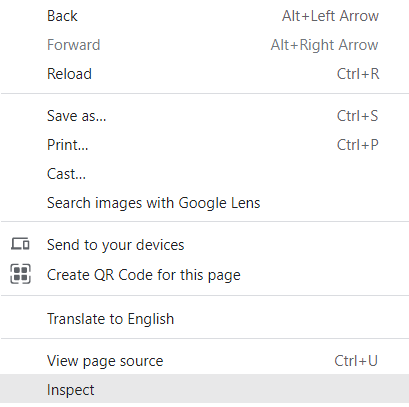
Click on ‘Network’ and refresh the page.

As stated above, the response header should have it at the beginning so you might see it as the first entry when you refresh the page.

If you see ‘strict-transport-security: max-age=xxxxxxxxxxx’ then you are good!
You can also use a tool from Qualys here:
https://www.ssllabs%5Bdot%5Dcom/ssltest/ and look under ‘Protocol Details’. It also gives a whole bunch of good information that could be useful.
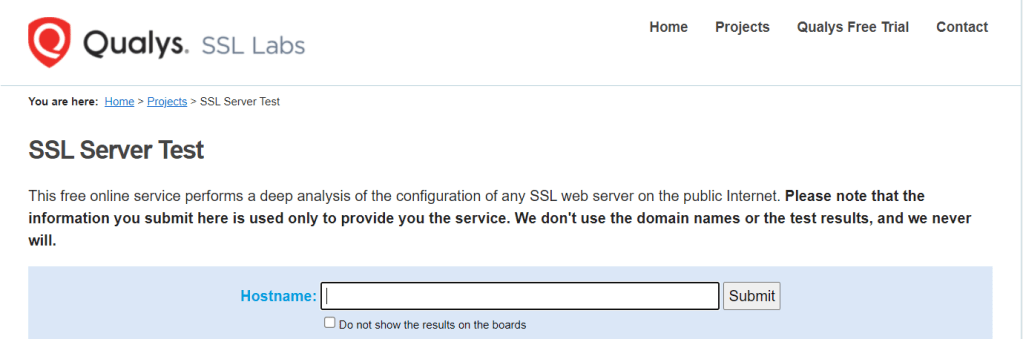

Disclosure: I don’t work for Qualys, just sharing a tool that might be helpful for others. And myself.
For more information:
https://https.cio%5Bdot%5Dgov/hsts/
 knowingthepath.tech